teach korean
Korean-Flashcards.com Free Korean Course with Loop Flash Card System, Sentence Manager, Dictionary, Vocabulary Drills, RSS Feeds
Summary
Korean-Flashcards.com is a fast-loading, useful site for Korean learners to manage and practice vocabulary lists (words and sentences). There are many existing word and sentence lists created by other users that you can snag and use right away. You can also create your own lists and sentences on-the-fly and test yourself until you know them all. As a result, this resource works for Korean students of all levels, beginner to advanced. The self-testing is done via built-in flashcard software that you control.
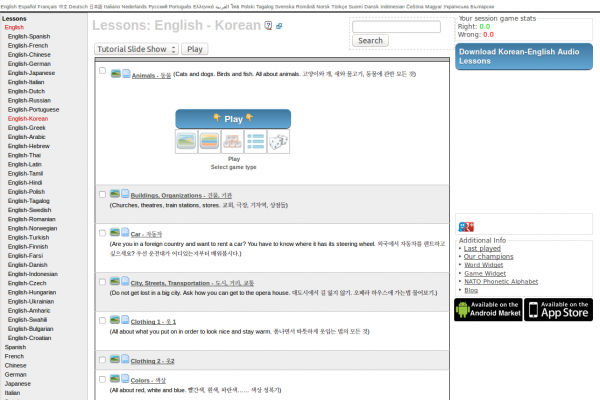
The website has an integrated dictionary that gives explanations of terms and includes examples of how these are used in real sentences. In addition, when you view a sentence, you can scroll over the words and view annotations. NB: You can copy and paste any Korean text you want into the site's Text Analyzer and it provides you with what you see below (see grey scroll-over pop-up in image for glosses).
Something I have found incredibly useful is the Sentence of the Day email that you can subscribe to on the site. This sends a different sentence every day and is complete with a translation of the sentence, plus a link to hear a native speaker say the sentence.
If you upgrade to a premuim membership (~$5/month) you can also hear audio for the sentence. In fact, the only thing you cannot do without a membership is hear the audio on the site. Other than that, it is full-featured and incredibly quick and helpful for learning Korean through memorizing words/sentences and their constituents.
Bravo Oliver for this excellent site and keep up the great work!
From Website
Study Korean from Home
Introduction
Since our first flashcard website started in 2005 a lot of time has been invested to design an efficient system which enables you to learn a new language in the shortest time possible. Make sure to read this introduction carefully so you understand how the system works. Once you know how this website works and you use it regularly it will become an important tool to learn Korean. Ideally make time each day for 2 or 3 sessions a day, each lasting about 10 - 15 minutes.
Once you have created your own account you can set up your own word list. You can either add words manually or automatically to your own word list.
Automatic Mode
If you choose this mode then the system will choose random words for you to practice. Within the "Automatic Mode" there are two different choices. The first is "completely random words" and the second is "frequent words first". Obviously if you are a beginner you should focus on those frequent words first, if you chose the level "Complete Newbie", "Basic" or "Intermediate" the system will just do that. If you chose the level "Upper Intermediate" or "Advanced" completely random words will be added to your word list.
Manual Mode
If you would like more control over which words you learn switch to the "Manual Mode". In this mode you choose which words you want to learn and not the system. There are a few ways to add words manually. The first is to use the search function in the navigation bar on the left-hand side. You can search for Korean or English words. On the result page every found word has an "Add Word" link next to it. Click it to add this word to your personal list. After you click it the link text will change to "Remove Word", so you can immediately remove the word from your list if you have added it by mistake.
The second way to add words manually is to click the link "Add new Words" in the navigation. This will show random words for you to add.
Finally you can add words by clicking on "Public Word Lists". These public lists normally have a common theme, like "Animals", "Computer", "Fruits", etc. You can either pick some words of these public lists or copy the whole list.
By default you are in the "Automatic Mode". If you do not want to add words automatically you can change this in the settings. In the "Automatic Mode" you can also add words manually.
The Loop
The main problem of learning new words is that over time word lists grow very big. This means that the learner feels overwhelmed and the time between word repetitions becomes too long. To solve this problem a so-called "Loop" is used.
The Loop consists of a subset of only 30 words out of your word list. This means you can concentrate on a few words only, until you have memorized them properly. To keep a flashcard in the loop click on the "Loop" button.
If you have become familiar with a new word which is in the Loop click on "1 day", "7 days", "30 days" etc. Which means that the word will be shown only after the indicated time has passed. If you know a word very well click on "30 Days" or "3 Months" so the word will be shown only after a long time. After the indicated time has passed the word will be put into the Queue.
Once you remove a word from the Loop another one will be put in the Loop. The system will first check if there are any words in the "Queue". If the Queue is empty and you are in "Automatic Mode" the system will choose a new word for you and add it to your word list and into the Loop. If you are in the "Manual Mode" the system will tell you that you need to add more words in order to continue. It is important not to let the queue grow too big, otherwise the system will become increasingly inefficient. Your every day task is to clear the queue and add 5 to 10 new words to your list.
If you click "Remove" then the word will be removed from your word list. "Block" will do the same except that it will also prevent the word from coming back in the "Automatic Mode" where the system chooses words for you. By default there are 30 words in the loop. You can change the number of words in the loop in the settings.
Word Lists
If the Loop system sounds too complicated to you, then you can also set up simple word lists. To do this click on "[Manage Lists]" in the navigation. Then click on "[Add List]" to create a new list. If you want to share this word list with other users select the box "Public List". If you want to immediately add new words to this list select "Also Activate". You can create as many lists as you want. In the navigation bar you can always see which list is active at the moment. Words will be added to the currently active list.
- Add new comment
- 1335 reads
- Email this Review Article
A Round-Up of 45 Mac OSX Language Software Apps: GPL Software, Freeware, Shareware and Demos from Apple's Download Center
Summary
This (lengthy) article brings together a pile of Free Software (GNU GPL'd as Public Domain), freeware and shareware for language learning and reference for Mac OS X.
Software descriptions are taken from Apple Downloads. We will be adding more GPL applications soon.
- Add new comment
- Read more
- 13834 reads
- Email this Review Article
Polyglot Culture: Quick Wikipedia Tip for Multilingual Language Surfing Goodness
Summary
The now-ubiquitious Wikipedia.org has some multilingual gems tucked away in its folds. This article serves to point out one of the most powerful polyglot culture feaures that Wikipedia offers: the myriad articles in a multitude of languages at a single click away.
For instance, while browsing the topic "Language" on Wikipedia in English, down the left navigation bar you will find entries for the same topic in literally dozens of languages:
Afrikaans, Alemannisch, العربية, Aragonés, Arpetan, Asturianu, Avañe'ẽ, Aymar aru, Azərbaycan, Bamanankan, Bân-lâm-gú, Basa Banyumasan, Башҡорт, Беларуская, Беларуская (тарашкевіца), Boarisch, Brezhoneg, Български, Català, Чăвашла, Cebuano, Česky, Cymraeg, Dansk, Deitsch, Deutsch, Diné bizaad, Eesti, Ελληνικά, Español, Esperanto, Euskara, فارسی, Français, Frysk, Furlan, Gaeilge, Gàidhlig, Galego, ગુજરાતી, 한국어, हिन्दी, Hrvatski, Ido, Ilokano, Bahasa Indonesia, Interlingua, isiXhosa, Íslenska, Italiano, עברית, Basa Jawa, ქართული, Kernewek, Кыргызча, Kiswahili, Коми, Kongo, Kreyòl ayisyen, Kurdî / كوردی, Latina, Latviešu, Lëtzebuergesch, Lietuvių, Limburgs, Lingála, Lojban, Magyar, Македонски, Malagasy, मराठी, مَزِروني, Bahasa Melayu, Nederlands, 日本語, Нохчийн, Norfuk / Pitkern, Norsk (bokmål), Norsk (nynorsk), Nouormand, Occitan, پښتو, Polski, Português, Ripoarisch, Română, Romani, Runa Simi, Русский, Саха тыла, Sámegiella, Sardu, Scots, Seeltersk, Sicilianu, Simple English, Slovenčina, Slovenščina, Српски / Srpski, Suomi, Svenska, Tagalog, தமிழ், Tatarça/Татарча, ไทย, Tiếng Việt, Тоҷикӣ, Türkçe, Türkmen, Українська, Volapük, Võro, Walon, Winaray, ייִדיש, 粵語,Zazaki, Žemaitėška, 中文
This list discludes several languages for which this particular computer does not have fonts installed. Many of you will see font-related issues for some of the languages above. Find out more here if you do.
How to find the links.
This image shows how to find what other languages are available for a given topic on Wikipedia:

These are not translations.
Each entry is an organically-written encyclopedia article on the topic of "Language" in a language. The time and space for language and culture persists!
It's quite intriguing surfing Wikipedia for multilingual goodness. If you'd like to hear more on this topic or have something of value to share, please comment on this article!

Use these to learn!
This feature of Wikipedia can be used to learn and teach languages. Find a topic of interest and study up on the vocabulary in your target language, build a linguistic knowledge of specific interests, get materials for educating, compare entries in different languages to bring out cultural nuances and more. There are many ways to twist and tweak this vast maze of plurilingual content!
From Website
A language is a dynamic set of visual, auditory, or tactile symbols of communication and the elements used to manipulate them. Language can also refer to the use of such systems as a general phenomenon. Strictly speaking, language is considered to be an exclusively human mode of communication. Although other animals make use of quite sophisticated communicative systems, sometimes casually referred to as animal language, none of these are known to make use of all of the properties that linguists use to define language.
In Western Philosophy, language has long been closely associated with reason, which is also a uniquely human way of using symbols. In Ancient Greek philosophical terminology, the same word, logos, was used as a term for both language or speech and reason, and the philosopher Thomas Hobbes used the English word "speech" so that it similarly could refer to reason, as will be discussed below. More commonly though, the English word "language", derived ultimately from lingua, Latin for tongue, typically refers only to expressions of reason which can be understood by other people, most obviously by speaking.
Visit "Language" on Wikipedia in English and look at all the languages on the left navigation bar. Those are the languages for which the article you are viewing has equivalents.
- 1 comment
- 2515 reads
- Email this Review Article
Learn That Language Now! ebook with Quick, Easy and Efficient Method for Learning Any Foreign Language
Summary
Learn That Language Now! is a truly excellent, highly useful e-book for learners of any language - available for instant download to get you learning better right away. The study approach presented in the book is refreshing, exciting and even intoxicating, because it works so well once you start using it! Having personally learned six languages to varying degrees myself, I was pleasantly surprised to find many new tips and tricks that I'd never come across in over 15 years of studying and practicing foreign languages.
The author offers language learners perspective (earned through years of learning multiple languages) as well as practical methods you can start using right away to improve your language study flow and achieve fluency many times faster than with standardized methods.
This ebook provides essential information that will save you time and energy, helping you reach your goals faster and with more confidence. And with a low price tag of $19.99 USD - and instant delivery to your email - you will have a hard time finding a more valuable investment in your foreign language learning endeavors.
Finally, teachers will also benefit greatly from this book as it will give them insight into creating better study programs and stronger learning tools for their students.
Find out more about "Learn That Language Now!"
From Website
Learn That Language Now
What if I told you that you can become fluent in a foreign language in a matter of months, learn thousands of words without worrying about forgetting them, master grammar and do all of this in an enjoyable, painless manner. Sound too good to be true? Well, prepare to have your language learning experiences turned upside down. Read on to learn more...
What is “Learn That Language Now”?
Learn That Language Now is a comprehensive manual that will teach you the tips, tricks, techniques and method to achieve fluency in a foreign language with the goal of learning as quickly and fluently as possible with the least amount of effort.
Learn That Language Now was written because all other traditional methods of language learning, including classes, textbooks, audio courses and software programs, were slow, costly, inefficient and used language learning philosophies that were out-dated. Most language resources teach language along the same lines as languages were studied hundreds of years ago: endless grammar, syntactical rules and vocabulary lists.
- Add new comment
- 19370 reads
- Email this Review Article
Verbix.com Verbix Free Verb Conjugation Website (WebVerbix), Verb Wiki and Windows Freeware (FreeVerbix) for 100+ Languages
Summary
Verbix is "an independent non-profit organization that aims to promote and protect linguistic diversity." The tools on their site "contain verb conjugations for hundreds of languages, ranging from national and international languages to regional and even extinct languages."
There are four main things to bring your attention to in this article:
1) WebVerbix, a great free online verb conjugator for over eighty languages.
2) WikiVerb, a wiki site dedicated to languages, verbs, and verb conjugation.
3) FreeVerbix, a freeware version of the Verbix Windows software which bumps the number of available languages to above one hundred.
4) The Verbix website, where all three of the above and more (including the $40 paid version of Verbix 2008 for Windows) are available. Your purchase will support the non-profit group and expand the Verbix non-profit organization and web presence.
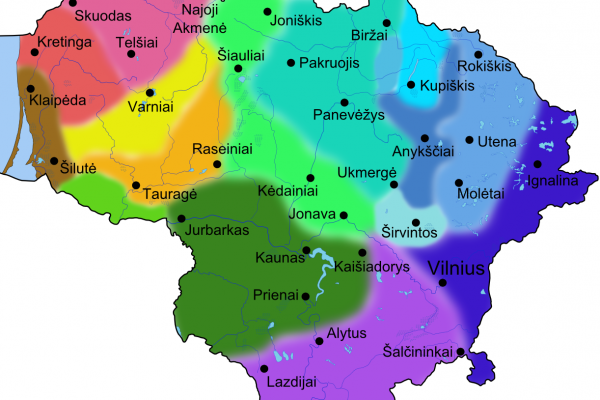
Also of import is the list of supported languages for the above-mentioned free and commercial products and online services.
The free Verbix stuff (WebVerbix, FreeVerbix and WikiVerb) provides plenty to work with for language learners and educators alike. The free online version works great for conjugating an enormous amount of verbs instantly.
From Website
UNESCO, United Nations Educational, Scientific and Cultural Organization. Verbix is an independent non-profit organization that aims to promote and protect linguistic diversity [UNESCO Observatory: Multilingualism]. This site contains verb conjugations for hundreds of languages, ranging from national and international languages to regional and even extinct languages.
FreeVerbix 7.3 is a universal Verb Conjugator that shows verb inflections in 100+ languages. It is based on Verbix language extension technology, so after installation of Verbix you can easily install any language extension to add more languages in Verbix.
WebVerbix is a free on-line verb conjugator. It contains a subset of Verbix for Windows features.
WikiVerb is a site dedicated to languages, verbs, and verb conjugation. It's not going to be a copy of information available in WikiPedia, but it will focus in verb conjugation. It won't replace www.verbix.com either, but it includes information and languages that are not available there.
- Add new comment
- 13510 reads
- Email this Review Article
Byki Offers a Free Language Software Application for Learning 60+ Languages at Byki.com (Windows and Mac OS X)
Download Language Freeware
UPDATE: Byki now available for 74 languages! See list below.
Byki is freeware for learning [74] languages, including many less-taught languages for which learning materials are hard to find, such as Georgian, Mongolian and Icelandic. This is a gold mine for folks interested in learning the basics of over [seventy] languages - with no budget!
Along with the freeware, learners have free access to the Byki user community where other users share vocabulary lists for all the languages, instantly providing you with loads of new, free content.
They also offer a commercial upgrade for $49 USD, reasonable, and you get lots of extras with the upgrade.
The free version has been used both by folks at Free Language and friends of those folks. Beginners especially seem to get a lot out of this software.
Current Languages Available
Afrikaans, Albanian, Altai, Arabic, Armenian, Azerbaijani, Bashkir, Belorussian, Bengali, Bosnian, Bulgarian, Buriat, Chechen, Chinese, Croatian, Czech, Danish, Dari, Dutch, Estonian, Farsi, Finnish, French, Georgian, German, Greek, Haitian Creole, Hausa, Hebrew, Hindi, Hungarian, Icelandic, Indonesian, Irish, Italian, Japanese, Kazakh, Korean, Latin, Latvian, Lithuanian, Luxembourgish, Macedonian, Malay, Mirandese, Mongolian, Norwegian, Pashto, Polish, Portuguese (Brazil), Portuguese (European), Romanian, Russian, Scottish, Serbian, Slovak, Spanish, Swahili, Swedish, Tagalog (Filipino), Tajiki, Thai, Turkish, Turkmen, Tuvan, Ukrainian, Urdu, Uzbek, Vietnamese and Zulu.
The folks at Byki are working hard to make more languages available in the near future.
Update from Byki!
As of September 5th, 2008, we’ve launched a whole new version of Byki (the artist formerly known as Before You Know It) with several new languages, and a beautiful new site. Be sure to check out the new ListCentral, with profile avatars). The new Byki has lots of great new stuff including new learning games and the new Byki blog.
- Add new comment
- 5940 reads
- Email this Review Article