Afrikaans
Arabic
Bahasa
Bengali
Cantonese
Catalan
Chinese
Czech
Dutch
English
Farsi
Filipino
French
German
Greek
Hausa
Hebrew
Hindi
Hungarian
Indonesian
Italian
Irish
Japanese
Korean
Latin
Luxembourgish
Mandarin
Norwegian
Persian
Polish
Portuguese
Russian
Spanish
Swahili
Swedish
Tagalog
Thai
Turkish
Ukrainian
Vietnamese
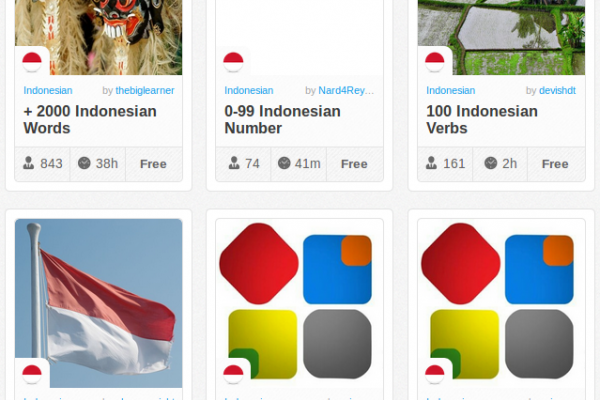
Quizlet.com is a great website for effectively learning vocabulary, for languages and anything else! For a quick video on how the whole thing works, check out the demo video. Cool fact: It was started by a 15-year-old high school student!
Basically, you can add and share vocabulary lists, make them public, private or share only with certain groups. Once you have them in the system (or you find an existing set you want to study), you can choose between several options for learning/familiarizing and self-assessment.
The site is slick, fast and has lots of active users. It's really a cool place to learn anything from the Greek Alphabet to TOEFL and SAT vocabulary and plenty more.
There are already gobs of lists available on the site - so many that individual attention is being brought to amazing collections available on the site, such as the HSK Test Vocabulary Preparation Pack and more.
So take a look at Quizlet when you get the chance. It's likely that content already exists for what you need to study! I have added this to all the language sections even though there are not vocabulary stacks yet for all of these. Reason being you can use the site to create any vocabulary lists you want - it's wide open!
The Quizlet Story
For lack of a professional writer working for Quizlet, here are some ramblings from me, Andrew Sutherland, creator of Quizlet, president of Brainflare, web developer, and high school student.
Quizlet is how I occupy my free time and even some of my non-free time. My mission for Quizlet is to make learning vocabulary not a chore. I know a lot of teachers assign vocabulary to students, but few students actually "absorb" words into their vocabularies after they take their test. Which kind of defeats the purpose, right? So Quizlet is my response - it aims to make learning fun, thus make learning effective. At the very least, it can help students do better on quizzes and tests even if they don't fully "absorb" their words.
I started Quizlet in October 2005, back when I was a mere 15-year-old (human years). I had just received a list of 111 French Animals to memorize from my magnanimous French teacher. I was puttering along with my dad with some call-and-response type quizzing. "Man, I love doing this" was NOT what I was thinking. So I put my thinking cap on, and the first line of code for Quizlet was written that night. Of course, that code was all deleted when I thought about what Quizlet would be. You really should plan first.
Quizlet is a shoestring operation. For its first 420 days, it was the work of only myself. I did all the designing, programming, debugging, and perfecting. The project had no product managers, no marketers, and no venture capitalists. It was just me and my testers. Recently I've realized some things are out of my field of expertise (I'm not a lawyer, for example). So there are a few other people involved these days.
Quizlet is free and will remain free to all users. The current plan is to offer targeted advertising on the non-studying pages. I'm hoping to make some deals with some educational and test-prep companies and perhaps some universities. If you're interested in advertising to my userbase of highly-motivated high-school and college students, shoot me a note (see above right).
Let's see, what haven't I covered? Ahh, the name Quizlet comes from Quizlette, the name of the "little" quizzes my French teacher gives. She could have charged royalties, but that just wouldn't be right…
And because you really want to know, I made Quizlet using only the finest ingredients:
PHP
MySQL
Apache
Mootools Thanks Valerio!
XHTML, CSS, Javascript, JSON, etc etc…
This is a fresh and new podcast for learning the Indonesian language. As this article goes to press, there are three podcast episodes on the site, with the promise of more coming soon.
The podcasts themselves are clear, informative and well-organized.
Plus, we need podcasts for learning Indonesian because there is a serious lack on the Web! So many thanks to Ell Pond Language Services!
Learning Indonesian is a complete online Indonesian course geared towards developing conversational fluency in the Indonesian Language. This free course consists of:
- A progressive bi-weekly downloadable audio lesson available on our site or via podcast
- Full access to all previous lessons for review
- Study guides that compliment the audio lessons
- Online forums to ask questions and discuss your progress with other students
Visit Learning Indonesian Podcast.
Subscribe to Learning Indonesian Podcast.
Subscribe to Learning Indonesian Podcast via iTunes.
Rosetta Stone doesn't want you to know this! The best deals on Rosetta Stone software can be found here on eBay.
Rosetta Stone is proprietary language-learning software produced by Rosetta Stone, Ltd. Its title and its logo are an allusion to the Rosetta Stone, an artifact inscribed in multiple languages that helped researchers to decipher Ancient Egyptian by comparing it to the Greek inscription.
The Rosetta Stone software utilizes a combination of images, text, and sound, with difficulty levels increasing as the student progresses, in order to teach various vocabulary terms and grammatical functions intuitively, without drills or translation. Their method is called the Dynamic Immersion method. The goal is to teach languages the way first languages are learned.
Several different packages of lessons are available. The full course in each language is separated into three levels. There is only one level available for Latin. All retail software packages except the homeschool version contain two CDs, one with the application software and another with the instruction. The homeschool version also consists of disks for a server program and a student management program.
Get the best prices here on all Rosetta Stone products!
Arabic (Modern Standard), Chinese (Mandarin), Danish, Dutch, English (American), English (British), French (Parisian), German, Indonesian, Swahili, Tagalog (Filipino), Greek, Hebrew, Hindi, Indonesian, Irish, Italian, Japanese, Korean, Latin, Persian (Farsi), Pashto, Polish, Portuguese (Brazil), Russian, Spanish (Latin America), Spanish (Spain), Swedish, Swahili, Tagalog (Filipino), Thai, Turkish, Vietnamese and Welsh
All languages except Latin use the same set of words and sentences in the same order, with the same images (some of which are recycled from lesson to lesson). There are three levels of instruction, each sold separately, or they can be purchased bundled for a discount. In version two, most languages were offered with only two levels, though a few were offered in a third:
Level 1 consists of eight units, starting from simple vocabulary such as "boy", "girl", "man", "woman", moving up through numbers, the past and future tenses and concluding with a unit on giving directions. Units 1 through 4 have 10 lessons plus a review lesson, units 5 through 8 have 11 lessons plus a review lesson. 92 total lessons in level 1.
Level 2 offers units 9 through 19; however as a practical matter there are only nine units devoted to instruction since units 18 and 19 are "glossary" units devoted to single words having to do with a particular topic (school, nature, automobiles etc.). Level 2 units consider more advanced grammatical concepts, as well as specific subjects like banking, shopping and travel. These exercises also use short video clips in QuickTime format to illustrate some verbs. Units 16 and 17 consist solely of old Saturday Evening Post cartoons and their captions. 118 total lessons in level 2.
Level 3 is no longer offered on version 2 products, but when it was, it used longer video and writing passages to expand the level of instruction.
In version 3, all languages have three levels, though what they cover is different; there is more of a focus on conversation and less on complex grammatical topics.
Level 1 consists of four units, each with four thirty-minute lessons and a number of five to fifteen minute activities. The level, which is supposed to "build a foundation of fundamental vocabulary and essential language structure," takes about 24 hours to complete following Rosetta Stone's recommended course. Starting from simple vocabulary such as basic greetings, "boy", "girl", "man", and "woman", moving up through numbers, comparisons, adjectives, nouns, future tense, and telling time. Each unit also contains a ten-minute simulated conversation called a "Milestone."
The four units in Level 1 are: The Basics, Friends and Family, Work and School, and Shopping.
Level 2 offers units 5 through 8, for a total of about twenty-four hours designed to teach you to "navigate your surroundings as you build on the vocabulary and essential language structure in Level 1." More grammar is covered, including past and future tenses, and imperative forms. Topics such as giving directions, writing letters, workplace terms, apologies, discussing emotions, and criticizing art are also covered. As in Level 1, each unit is followed by a ten-minute "Milestone."
The four units in Level 2 are: Travel, Past and Future, Friends and Social Life, and Dining and Vacation.
Level 3 offers the final four units (9 through 12), which are supposed to help "connect with the world around you by building on the language fundamentals and conversational skills you developed in Levels 1 and 2." In addition to expanding upon grammar learned in Levels 1 and 2, Level 3 teaches more in depth vocabulary, including botanical terms, culinary terms, how to express detailed opinions and judgments, and how to discuss politics, religion, and business. As in the first two levels, each unit contains a ten-minute "Milestone" activity in which the user participates in a simulated conversation.
The four units in Level 3 are: Home and Health, Life and World, Places and Events, and Talking About the World.
An Explorer package consisting basically of the first three units from Level I was available for a much cheaper price than the full Level I. This product is no longer available from the publisher.
A Traveler version, consisting of several lessons focusing on basic terms as well as vocabulary important for travel, was produced in the late 1990s and is no longer available.
Audio Companion was released on June 9, 2008 and is meant to reinforce what is learned using the computer software. It is portable and is meant to be played on a CD player or MP3 player.
The best deals on Rosetta Stone software can be found here.
"World Nomads present a series of podcast language guides. They are yours to download for free and contain all the essential phrases to keep you travelling safely.
We hope that in 2007 there'll be time to produce a few more guides, so feel free to leave us a comment or send an email with suggestions for the languages you'd like to learn."
This podcast, along with other podcasts by World Nomads, has nice entries with world-traveler action and a transcription to boot.
"The Center for Southeast Asian Studies was established in 1963 at Northern Illinois University in DeKalb. Located 65 miles west of Chicago, Northern Illinois University is a comprehensive undergraduate and graduate university with approximately 23,000 students. A federally funded National Resource Center since 1997, the Center for Southeast Asian Studies provides leadership, focus, and coordination for Southeast Asian studies at the university. It also provides outreach and K-12 teacher training for communities throughout northern Illinois.
Professor Jui-Ching Wang, NIU School of Music and the NIU Gamelan Ensemble performed for 450 freshmen at Naperville North High School in Naperville on Wednesday, May 2, 2007. The Gamelan performance was for Naperville North High School Cultures classes. A core group of NNHS social studies teachers have worked with the Center since 2002 in bringing Southeast Asian cultures into their classrooms.
One of our most unique resources is SEAsite, a comprehensive and varied set of interactive learning resources for studying Southeast Asian languages, literatures and cultures on the world wide web - all developed here by faculty and students and accessible from our home page."
This is an excellent resource for beginning learners of the Indonesian language. There is loads of helpful info here, including proverbs, colors, grammar info, housing, animals, family, foods, transportation and lots more.
"The purpose of this site is to give elementary students of Indonesian the opportunity to practise and review basic vocabulary, grammar and sentence structures as they work through their course and prepare for the examination. Each unit contains a range of exercises of various types, including:
* Multiple-choice quizzes
* Gap-fill exercises
* Matching exercises
* Short-answer questions
* Word-ordering exercises
* Sentence-ordering exercises
* CrosswordsAll the exercises are interactive, so you can check your answers and get hints and feedback as you work."
This is a course that takes you through learning some initial vocabulary and practical use of Bahasa Indonesia.
The entire course is conducted in Indonesian, which might be daunting for some... but give it a try and you might find you like it!
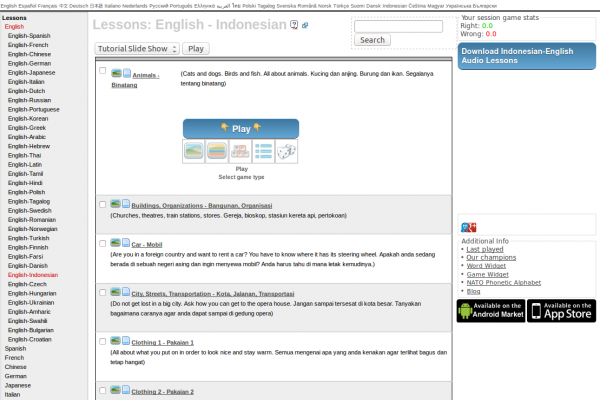
This site can be an excellent companion to any web-based endeavor to learn a language, especially since the cards are stored online and you can be traveling and using random computers to access your study cards.
With this site you can quickly and easily create your own flashcard tests for anything you choose to study: vocabulary, grammar concepts, phrases... the cool thing is it's up to you.
Also at your disposition is a huge database of public flashcard packs to choose from, covering a large number of languages
Flashcards are study tools. Think of a small 3×5 index card with a question on one side and an answer on the other side. This web site is an internet application where you can create, study, print and download flashcards.
Special study features:
* View cards in random order or the order set by the flashcard author.
* Study either side of the flashcard first, quizzing yourself on the reverse side (i.e. show the answer and guess the question).
* Change the font face and font size when studying.
* Use access keys (keyboard shortcuts) to speed up the study session.
* After a study session continue by studying only those flashcards answered incorrectly.
* Use slide show mode to be automatically shown each flashcard at a set interval.
* Automatically monitor the time spent studying.
* Play a game of memory!
* Study off-line.
* Have your flashcards spoken to you by the computer
* Full members can study on your PDA.
* Full members can also use the advanced Leitner study techniques.