learn russian
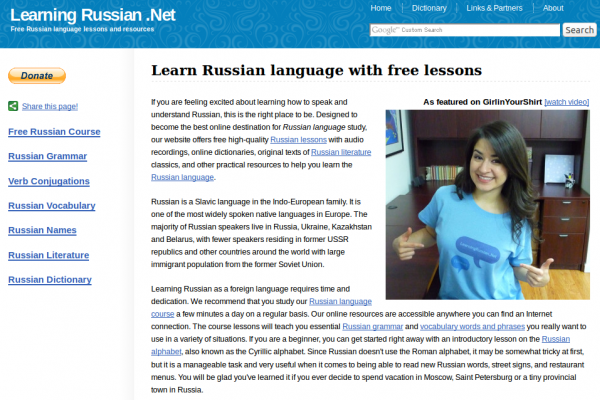
RussianPod101.com RussianPod101 Learn Russian Podcast with Audio+Video Lessons, Flashcards, Quizzes, Cultural Info, Learn Center
Summary
From beginner to advanced levels, RussianPod101.com is an excellent, all-around online environment for learning Russian. The Pod101 platform, method and technology provide the necessary tools to get you immersed in the Russian language and achieve the goals you desire and/or require.
Since RussianPod101.com is web-based, you can access your personal Russian Learning Center from anywhere, and it's really easy to download the podcasts and put them on your mp3 player (iPod, Zune, etc) or mobile phone to take them with you for practice and learning on the go.
One of the most important things when learning a language is good content - and RussianPod101.com has this, and a steady flow of it. This constant flow of fresh content regards cultural aspects of Russian you will want to know, interesting tidbits about navigating in Russian society (whether on vacation or living abroad), practical information about getting by and much more.
Your Russian Learning Center brings together audio podcast lessons, lesson notes and checklists, transcripts, PDFs, video lessons, vocabulary training with flashcards and quizzes plus a Russian dictionary, grammar bank, a verb reference and plenty more.
And if you enjoy asking questions and learning from and helping other learners, a forum is available for all users.
It's simple to try it for free and upgrade if it works for you.
From Website
At RussianPod101.com, our goal is to make learning the Russian language easy and fun, while also incorporating culture and current issues into our lessons. We believe that the more you speak, the quicker you learn, so we have designed our program to get you speaking right away. Situational Russian is heavily stressed, and our team role plays various situations to demonstrate the proper form of Russian to use when speaking with friends, customers, executives, and so-on. Knowing the proper form to use separates good speakers from great speakers.
RussianPod101.com was developed with the hope of showing the world how fun and easy learning Russian can be. Here at RussianPod101.com, we truly believe that learning can be fun, while at the same time convenient. We know how busy you are and that each day brings unexpected surprises. That is exactly why we bring the lessons to you and let you decide when they start.
Our innovative, fun, and easy to use language learning system is designed to get you speaking and interacting from the very first lesson. Learn Russian at your own convenience and pace with short, effective, fun daily lessons and a comprehensive, state-of-the-art Learning Center that provides you with the tools to take your Russian to the next level! Our interactive learning system consists of free daily audio podcast lessons, accompanying PDF materials, a Premium Learning Center, and a vibrant user community.
Our Method
RussianPod101.com offers a unique learning experience that cannot be found in conventional classrooms. In addition to offering lessons that can be completed on your own time, we approve all of the content we release through a government certified Russian teacher. Here are just a few of the revolutionary advantages of our method:
Exposure to native speakers and many different kinds of voices and speaking styles…
RussianPod101.com aims to have you speaking Russian after just one lesson! Our lessons focus on pronunciation and listening comprehension, so that you can start practicing what you learn from our professional teachers. Inside the PDF you will find the necessary tools for reading comprehension, and thorough explanations of phrases and key grammar points, in addition to segments on cultural insight. To address speaking practice, we have state-of-the-art software to allow you to record your own voice so you can compare your pronunciation to our teachers and continue to refine your speaking skills.
When all the aspects of RussianPod101.com are put together, this program provides students of Russian with ultimate self-study learning course. In addition, we often provide conversations between three people to more closely simulate real-life situations.
Fresh, up-to-date content...
Many Russian teachers who live overseas have been out of the country for a long period of time and can be “out of the loop” on current words, culture, etc. This is another major gap that we fill. Lessons are carefully crafted to include current events, words, celebrities, and so-on. This is very dynamic content.
Borderless education on-demand...
We also fill a definite demand in remote locations. Our lessons provide you with a mobile classroom, as we bring you Russian on Demand. Russian lessons wherever you may be.
RussianPod101.com offers our listeners a unique learning experience that delivers cutting-edge, dynamic content to be accessed at your convenience. With the inclusion of our lesson notes and Learning Center, we offer a full solution that provides the material, guidance, exercises, and testing to really make the knowledge your own. And it doesn’t even stop there - our vibrant and extremely helpful community provide each other not only quick answers to questions, but also give each other a sense of encouragement and motivation that is often lacking.
We focus on Russian, and Russian only...
Just Russian! All we do is Russian. RussianPod101.com is not a generic package language learning course, such as some of the other big name language learning programs out there. Many other programs “scale” their solutions across several languages, simply recycling the same material over and over - the same pictures, the same conversations, just in a different language. But each language is unique, and at RussianPod101.com we pride ourselves on developing a system that’s only about the Russian language and Russian culture!
One stop studying...
Have you ever found yourself lost on the information highway? Sometimes it’s like trying to drink from a fire hose! Hundreds of bookmarks, all with varying levels of quality and credibility. You finally find a great site, but it only updates once a year! RussianPod101.com offers users one stop studying. The learning center has been carefully designed to provide you with the resources you will need to take your Russian to the next level.
Submitted by polyglot on Thu, 2009-11-05 18:32.
- Add new comment
- 262 reads
- Email this Language Source
Russian-Flashcards.com Free Russian Course with Flashcards, Sentence Manager, Dictionary, Vocabulary Drills, RSS, Web Software
Summary
Russian-Flashcards.com is a fast-loading, useful site for Russian learners to manage and practice vocabulary lists (words and sentences). There are many existing word and sentence lists created by other users that you can snag and use right away. You can also create your own lists and sentences on-the-fly and test yourself until you know them all. As a result, this resource works for Russian students of all levels, beginner to advanced. The self-testing is done via built-in flashcard software that you control.
The website has an integrated dictionary that gives explanations of terms and includes examples of how these are used in real sentences. In addition, when you view a sentence, you can scroll over the words and view annotations. NB: You can copy and paste any Russian text you want into the site's Text Analyzer and it provides you with what you see below (see grey scroll-over pop-up in image for glosses).
Something I have found incredibly useful is the Sentence of the Day email that you can subscribe to on the site. This sends a different sentence every day and is complete with a translation of the sentence, plus a link to hear a native speaker say the sentence.
If you upgrade to a premuim membership (~$5/month) you can also hear audio for the sentence. In fact, the only thing you cannot do without a membership is hear the audio on the site. Other than that, it is full-featured and incredibly quick and helpful for learning Russian through memorizing words/sentences and their constituents.
Bravo Oliver for this excellent site and keep up the great work!
From Website
Study Russian from Home
Introduction
Since our first flashcard website started in 2005 a lot of time has been invested to design an efficient system which enables you to learn a new language in the shortest time possible. Make sure to read this introduction carefully so you understand how the system works. Once you know how this website works and you use it regularly it will become an important tool to learn Russian. Ideally make time each day for 2 or 3 sessions a day, each lasting about 10 - 15 minutes.
Once you have created your own account you can set up your own word list. You can either add words manually or automatically to your own word list.
Automatic Mode
If you choose this mode then the system will choose random words for you to practice. Within the "Automatic Mode" there are two different choices. The first is "completely random words" and the second is "frequent words first". Obviously if you are a beginner you should focus on those frequent words first, if you chose the level "Complete Newbie", "Basic" or "Intermediate" the system will just do that. If you chose the level "Upper Intermediate" or "Advanced" completely random words will be added to your word list.
Manual Mode
If you would like more control over which words you learn switch to the "Manual Mode". In this mode you choose which words you want to learn and not the system. There are a few ways to add words manually. The first is to use the search function in the navigation bar on the left-hand side. You can search for Russian or English words. On the result page every found word has an "Add Word" link next to it. Click it to add this word to your personal list. After you click it the link text will change to "Remove Word", so you can immediately remove the word from your list if you have added it by mistake.
The second way to add words manually is to click the link "Add new Words" in the navigation. This will show random words for you to add.
Finally you can add words by clicking on "Public Word Lists". These public lists normally have a common theme, like "Animals", "Computer", "Fruits", etc. You can either pick some words of these public lists or copy the whole list.
By default you are in the "Automatic Mode". If you do not want to add words automatically you can change this in the settings. In the "Automatic Mode" you can also add words manually.
The Loop
The main problem of learning new words is that over time word lists grow very big. This means that the learner feels overwhelmed and the time between word repetitions becomes too long. To solve this problem a so-called "Loop" is used.
The Loop consists of a subset of only 30 words out of your word list. This means you can concentrate on a few words only, until you have memorized them properly. To keep a flashcard in the loop click on the "Loop" button.
If you have become familiar with a new word which is in the Loop click on "1 day", "7 days", "30 days" etc. Which means that the word will be shown only after the indicated time has passed. If you know a word very well click on "30 Days" or "3 Months" so the word will be shown only after a long time. After the indicated time has passed the word will be put into the Queue.
Once you remove a word from the Loop another one will be put in the Loop. The system will first check if there are any words in the "Queue". If the Queue is empty and you are in "Automatic Mode" the system will choose a new word for you and add it to your word list and into the Loop. If you are in the "Manual Mode" the system will tell you that you need to add more words in order to continue. It is important not to let the queue grow too big, otherwise the system will become increasingly inefficient. Your every day task is to clear the queue and add 5 to 10 new words to your list.
If you click "Remove" then the word will be removed from your word list. "Block" will do the same except that it will also prevent the word from coming back in the "Automatic Mode" where the system chooses words for you. By default there are 30 words in the loop. You can change the number of words in the loop in the settings.
Word Lists
If the Loop system sounds too complicated to you, then you can also set up simple word lists. To do this click on "[Manage Lists]" in the navigation. Then click on "[Add List]" to create a new list. If you want to share this word list with other users select the box "Public List". If you want to immediately add new words to this list select "Also Activate". You can create as many lists as you want. In the navigation bar you can always see which list is active at the moment. Words will be added to the currently active list.
Submitted by polyglot on Sun, 2009-11-01 10:58.
- Add new comment
- 213 reads
- Email this Review Article
Video: How to Use the BBC Website to Learn English, Chinese, French, German, Greek, Italian, Portuguese, Spanish, More - Free!
Summary
The BBC is such an amazing resource for learning languages online for free that we've done a 6-minute video showing how you can effectively use this resource to learn at least the basics of 36+ languages.
BBC offers materials for the following languages: Albanian, Basque, Belarusian, Bosnian, Bulgarian, Catalan, Chinese (Mandarin), Croatian, Czech, Danish, Dutch, English, Estonian, Finnish, Flemish, French, German, Greek, Hungarian, Icelandic, Italian, Latvian, Lithuanian, Luxembourgish, Macedonian (FYROM), Maltese, Norwegian, Polish, Portuguese, Romanian, Russian, Serbian, Slovak, Slovene, Spanish, Swedish, Turkish, Ukrainian
Enjoy and please leave comments to help us focus our efforts!
Screencast Video
Helpful Links for this Screencast
http://freelanguage.org/learn/bbc
http://www.bbc.co.uk/languages
http://www.bbc.co.uk/languages/chinese
http://www.bbc.co.uk/languages/english
http://www.bbc.co.uk/languages/french
http://www.bbc.co.uk/languages/german
http://www.bbc.co.uk/languages/greek
http://www.bbc.co.uk/languages/italian
http://www.bbc.co.uk/languages/portuguese
http://www.bbc.co.uk/languages/spanish
http://www.bbc.co.uk/languages/other
http://www.bbc.co.uk/languages/other/quickfix
Submitted by polyglot on Thu, 2009-10-15 10:37.
- Add new comment
- 1784 reads
- Email this screencast
How to Learn Languages Online for Free, Video Screencast Part 1: General Introduction
Summary
This is our first humble effort to disseminate much of the good info found on this website via screencast videos that make it easy to get a picture of learning languages online for free while kicking back, watching and soaking it up rather than reading through loads of material.
With this video we offer a 10-minute intro to useful sites for learning languages online for free. The web tour covers essential resources for vocabulary, grammar, dictionaries, translation, verb conjugation, language exchange and more.
We have started a channel on YouTube for these screencasts: http://www.youtube.com/user/freelanguageorg - you can help us a lot by rating and commenting on these videos on YouTube
Please let us know what you would like to see in future videos, too. We have a series planned and will be releasing them here frequently - your input will be valued and appreciated!
Screencast Video
Links in this Screencast
http://quizlet.com
http://www.transparent.com/wotd
http://lingro.com
http://www.gutenberg.org
http://wikibooks.org
http://www.busuu.com
http://www.babbel.com
http://www.myhappyplanet.com
http://palabea.net
http://www.reverso.com
http://www.wordreference.com
http://www.google.com/translate
http://www.verbix.com
http://freelanguage.org/the-big-list
Submitted by polyglot on Mon, 2009-10-12 09:14.
- Add new comment
- 1340 reads
- Email this screencast
Languages of Europe and Open-Content Textbooks Collection to Learn and Teach European Languages at Wikibooks.org
Summary
Wikibooks.org is a community for creating a free library of educational textbooks that anyone can edit. The Wikibook's Languages of Europe category can serve, for the language learner, educator and enthusiast, as an enormous doorway into the many European languages, both living and historical.
The European subcontinent has birthed and/or attracted an enormous variety of languages from many sub-branches of what linguists call the Indo-European languages.
Below you'll find direct links to a wide variety of European language open-content textbooks. These are free and open source, for everyone to use and benefit from. And collaborate on - especially language educators who have the knowledge to share with all through this open medium.
To boot, Wikibooks.org itself is available in a wide range of world languages!
From Wikibooks.org
Wikibooks Category: Languages of Europe
From Wikibooks, the open-content textbooks collection
These language books concern Languages of Europe. See also Subject:Languages of Europe.
European Languages with Books or Pages
Albanian, Aragonese, Armenian, Austrian, Basque, Belarusian, Breton, Bulgarian, Catalan, Chechen, Croatian, Danish, Galician, Gothic, Greenlandic, High Icelandic, Hungarian, Høgnorsk, Icelandic, Insubric, Irish, Italian, Latvian, Leonese, Lowland Scots, Macedonian, Manx, Neapolitan, Norwegian, Old Church Slavonic, Polish, Provençal, Romanian, Russian, Serbian, Sicilian, Silesian, Slovene, Swedish, Turkish, Ukrainian, Welsh
This may be incomplete when you read this. Please check the Languages of Europe page for the latest content.
European Language Wikibooks Subcategories
Dutch language
English language
Finnish language
French language
German language
Greek language
Latin language
Lithuanian language
Portuguese language
Scottish Gaelic language
Spanish language
Yiddish language
Visit Wikibooks.org on Languages of Europe.
Wikipedia.org also has a category on Languages of Europe.
Submitted by polyglot on Sun, 2009-04-19 11:10.
- Add new comment
- 3168 reads
- Email this Review Article
A Round-Up of 45 Mac OSX Language Software Apps: GPL Software, Freeware, Shareware and Demos from Apple's Download Center
Summary
This (lengthy) article brings together a pile of Free Software (GNU GPL'd as Public Domain), freeware and shareware for language learning and reference for Mac OS X.
Software descriptions are taken from Apple Downloads. We will be adding more GPL applications soon.
Submitted by polyglot on Fri, 2008-12-12 01:58.
- Add new comment
- Read more
- 13834 reads
- Email this Review Article